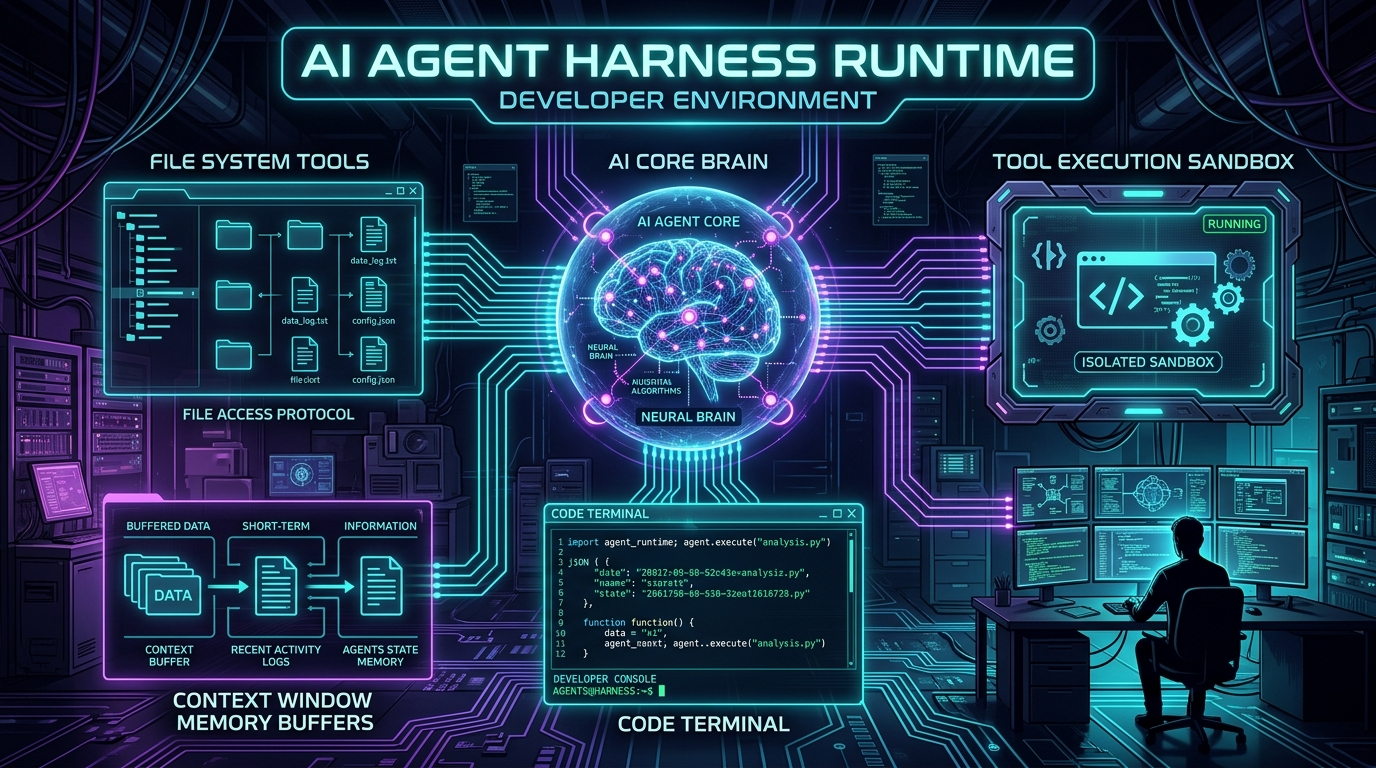
In the current wave of generative artificial intelligence, there is a fundamental misconception about what makes an autonomous coding assistant or task agent work. Many developers assume that intelligent agents are simply large language models (LLMs) equipped with a massive system prompt and a tool-calling endpoint.
In practice, a raw LLM is just a stateless probabilistic text generator. It cannot read a filesystem, execute a compiler, recover from a bash timeout, prune its own overflowing context window, or prevent itself from hallucinating that a failing test passed.
The component that turns a raw neural network into a reliable, autonomous, and safe software engineer is the AI Agent Harness (often called the Agent Runtime or Scaffolding). The harness is the surrounding operating system, state machine, and execution container that controls the model's lifecycle, mediates its tool interactions, compacts its context memory, and enforces safety boundaries.
In this guide, we break down the architecture of modern AI Agent Harnesses (such as those powering Claude Code, OpenAI Swarm, SWE-bench testbeds, and Google Antigravity), explore the core problems they solve, and build a production-grade Agent Harness from scratch in Node.js and TypeScript.
The 5 Failure Modes of Raw LLMs Without a Harness
To understand why an agent harness is necessary, consider what happens when an application connects directly to a model API without surrounding runtime scaffolding:
| Failure Mode | What Happens Without a Harness | How the Harness Solves It |
|---|---|---|
| 1. Action Isolation | Model outputs JSON tool calls, but has no physical bridge to execute them against the operating system. | Provides a sandboxed execution broker (child processes, file system I/O, MCP server bridges). |
| 2. Context Exhaustion & Amnesia | Command outputs (e.g., a 5,000-line build log) immediately consume the context window, causing exponential token costs and API crashes. | Active context compaction, sliding window token budgeting, and tool output summarization. |
| 3. Hallucinated Verification | The model writes code and declares "Everything is tested and fixed!" without ever executing tests. | Hard verification gates enforcing test runs and parsing exit codes before allowing task completion. |
| 4. Infinite Tool Thrashing | The model enters a loop repeating the exact same broken tool call indefinitely. | Loop detection, step budgets, backoff strategies, and forced strategy switching. |
| 5. Destructive Command Risk | The model executes dangerous commands (rm -rf /, dropping databases, or pushing to main). |
Human-in-the-loop (HITL) approval modals and permission security policies. |
The Architecture of an AI Agent Harness
A production agent harness is composed of five interconnected subsystems organized around a centralized ReAct (Reason + Act) Execution Loop:
+-------------------------------------------------------------------------+
|                           AI AGENT HARNESS                              |
|                                                                         |
|  +--------------------+      +---------------------------------------+  |
|  |   User Workspace   | <--> |            TOOL BROKER                |  |
|  | (Files, Git, Bash) |      | (File I/O, Bash Sandbox, MCP Servers) |  |
|  +--------------------+      +---------------------------------------+  |
|                                                  ^                      |
|                                                  | Execute Tools        |
|                                                  v                      |
|  +-------------------------------------------------------------------+  |
|  |                     REACT STATE MACHINE LOOP                      |  |
|  |                                                                   |  |
|  |   1. Assemble Prompt & History                                    |  |
|  |   2. Context Budget & Compactor (Token Budget Manager)            |  |
|  |   3. Call LLM Inference Engine (Gemini / Claude / GPT)           |  |
|  |   4. Parse Tool Calls or Final Response                           |  |
|  |   5. Verify Safety / HITL Approval Gate                           |  |
|  |   6. Dispatch Tool -> Capture Output -> Append to Transcript      |  |
|  |   7. Evaluate Termination Condition -> Recurse                     |  |
|  +-------------------------------------------------------------------+  |
|                                  |                                      |
|                                  v                                      |
|  +-------------------------------------------------------------------+  |
|  |                PERSISTENCE & OBSERVABILITY LAYER                  |  |
|  |   (transcript.jsonl, check-pointing, subagent message queues)     |  |
|  +-------------------------------------------------------------------+  |
+-------------------------------------------------------------------------+
Building Your Own Agent Harness in Node.js & TypeScript
Let's build a clean, production-ready Agent Harness in TypeScript. We will construct four modular components:
- Tool Registry & Execution Broker
- Context Window Compactor & Token Budgeter
- Human-in-the-Loop Safety Gate
- The Core ReAct Agent Loop Engine
Step 1: Defining the Tool Registry and Execution Broker
The tool broker exposes executable functions to the model while strictly validating arguments and capturing exit codes:
// src/tools/tool-registry.ts
import { exec } from 'child_process';
import { promisify } from 'util';
import * as fs from 'fs/promises';
import * as path from 'path';

const execAsync = promisify(exec);

export interface ToolDefinition {
  name: string;
  description: string;
  parameters: Record;
  requiresApproval?: boolean;
  execute: (args: any, context: ExecutionContext) => Promise;
}

export interface ExecutionContext {
  workspaceDir: string;
  stepIndex: number;
}

export class ToolRegistry {
  private tools = new Map();

  public register(tool: ToolDefinition): void {
    this.tools.set(tool.name, tool);
  }

  public get(name: string): ToolDefinition | undefined {
    return this.tools.get(name);
  }

  public getModelToolSchemas(): any[] {
    return Array.from(this.tools.values()).map((t) => ({
      name: t.name,
      description: t.description,
      parameters: t.parameters,
    }));
  }

  public async execute(name: string, args: any, ctx: ExecutionContext): Promise<{ output: string; error?: boolean }> {
    const tool = this.tools.get(name);
    if (!tool) {
      return { output: `Error: Tool '${name}' not found.`, error: true };
    }

    try {
      const output = await tool.execute(args, ctx);
      return { output };
    } catch (err: any) {
      return { output: `Tool execution failed: ${err.message || String(err)}`, error: true };
    }
  }
}
Registering Standard Core Tools (File I/O & Bash Runner)
// src/tools/core-tools.ts
import { ToolRegistry } from './tool-registry';
import * as fs from 'fs/promises';
import * as path from 'path';
import { exec } from 'child_process';
import { promisify } from 'util';

const execAsync = promisify(exec);

export function registerCoreTools(registry: ToolRegistry): void {
  // 1. File Reader
  registry.register({
    name: 'read_file',
    description: 'Read the text content of a file within the workspace.',
    parameters: {
      type: 'object',
      properties: {
        filePath: { type: 'string', description: 'Relative path to the file.' },
      },
      required: ['filePath'],
    },
    execute: async ({ filePath }, ctx) => {
      const fullPath = path.resolve(ctx.workspaceDir, filePath);
      return await fs.readFile(fullPath, 'utf-8');
    },
  });

  // 2. File Writer
  registry.register({
    name: 'write_file',
    description: 'Write or overwrite text content to a file.',
    parameters: {
      type: 'object',
      properties: {
        filePath: { type: 'string', description: 'Relative path to the file.' },
        content: { type: 'string', description: 'Text content to write.' },
      },
      required: ['filePath', 'content'],
    },
    requiresApproval: true,
    execute: async ({ filePath, content }, ctx) => {
      const fullPath = path.resolve(ctx.workspaceDir, filePath);
      await fs.mkdir(path.dirname(fullPath), { recursive: true });
      await fs.writeFile(fullPath, content, 'utf-8');
      return `Successfully wrote ${Buffer.byteLength(content)} bytes to ${filePath}`;
    },
  });

  // 3. Sandboxed Bash Runner
  registry.register({
    name: 'run_command',
    description: 'Execute a bash command in the workspace directory with timeout protection.',
    parameters: {
      type: 'object',
      properties: {
        command: { type: 'string', description: 'The bash command to execute.' },
      },
      required: ['command'],
    },
    requiresApproval: true,
    execute: async ({ command }, ctx) => {
      const { stdout, stderr } = await execAsync(command, {
        cwd: ctx.workspaceDir,
        timeout: 30000, // 30s timeout guard
        maxBuffer: 1024 * 1024 * 5, // 5MB buffer cap
      });
      return stdout || stderr || '(Command completed with no output)';
    },
  });
}
Step 2: Context Window Management & Output Truncation
One of the most vital responsibilities of the harness is protecting the model's context budget. If a tool runs npm test and outputs 40,000 lines of stack traces, passing that entire blob to the LLM will exhaust token limits and degrade reasoning.
// src/context/context-compactor.ts

export interface Message {
  role: 'system' | 'user' | 'assistant' | 'tool';
  content?: string;
  tool_calls?: any[];
  tool_call_id?: string;
}

export class ContextCompactor {
  private maxToolOutputChars: number;
  private maxHistoryTurns: number;

  constructor(maxToolOutputChars = 8000, maxHistoryTurns = 20) {
    this.maxToolOutputChars = maxToolOutputChars;
    this.maxHistoryTurns = maxHistoryTurns;
  }

  /**
   * Truncate oversized tool outputs with clear boundary indicators.
   */
  public truncateToolOutput(rawOutput: string): string {
    if (rawOutput.length <= this.maxToolOutputChars) {
      return rawOutput;
    }

    const headChars = Math.floor(this.maxToolOutputChars * 0.6);
    const tailChars = Math.floor(this.maxToolOutputChars * 0.3);

    const head = rawOutput.slice(0, headChars);
    const tail = rawOutput.slice(-tailChars);
    const omitted = rawOutput.length - (headChars + tailChars);

    return `${head}\n\n[... Harness Warning: Omitted ${omitted} characters of verbose output ...]\n\n${tail}`;
  }

  /**
   * Apply sliding window compaction while preserving the System Prompt and Initial Goal.
   */
  public compactHistory(messages: Message[]): Message[] {
    if (messages.length <= this.maxHistoryTurns) {
      return messages;
    }

    const systemMessage = messages.find((m) => m.role === 'system');
    const initialUserMessage = messages.find((m) => m.role === 'user');
    const recentMessages = messages.slice(-this.maxHistoryTurns);

    const compacted: Message[] = [];
    if (systemMessage) compacted.push(systemMessage);
    if (initialUserMessage && !recentMessages.includes(initialUserMessage)) {
      compacted.push(initialUserMessage);
    }

    compacted.push(...recentMessages.filter((m) => m !== systemMessage && m !== initialUserMessage));
    return compacted;
  }
}
Step 3: Human-in-the-Loop (HITL) Safety Gate
Autonomous agents should never execute destructive commands (e.g., dropping database tables, deleting source files, or sending network requests) without explicit confirmation from the human engineer:
// src/safety/safety-gate.ts
import * as readline from 'readline';

export class SafetyGate {
  private autoApprove: boolean;

  constructor(autoApprove = false) {
    this.autoApprove = autoApprove;
  }

  public async requestApproval(toolName: string, args: any): Promise {
    if (this.autoApprove) return true;

    // Fast-fail dangerous command patterns
    if (toolName === 'run_command' && /rm\s+-rf\s+(\/|~|\.)/i.test(args.command)) {
      console.error(`\n[CRITICAL SAFETY BLOCK] Command blocked due to destructive signature: ${args.command}`);
      return false;
    }

    const rl = readline.createInterface({
      input: process.stdin,
      output: process.stdout,
    });

    console.log(`\n--------------------------------------------------`);
    console.log(`[ACTION APPROVAL REQUIRED] Tool: ${toolName}`);
    console.log(`Arguments: ${JSON.stringify(args, null, 2)}`);
    console.log(`--------------------------------------------------`);

    return new Promise((resolve) => {
      rl.question('Approve execution? [y/N]: ', (answer) => {
        rl.close();
        resolve(answer.trim().toLowerCase() === 'y' || answer.trim().toLowerCase() === 'yes');
      });
    });
  }
}
Step 4: The Core ReAct Step Machine Loop
The step machine orchestrates the lifecycle: calling the LLM client, parsing tool calls, invoking the safety gate, capturing output, recording transcript events, and recursively executing until the model signals completion or exhausts its step budget:
// src/agent/agent-harness.ts
import { ToolRegistry, ExecutionContext } from '../tools/tool-registry';
import { ContextCompactor, Message } from '../context/context-compactor';
import { SafetyGate } from '../safety/safety-gate';
import * as fs from 'fs/promises';
import * as path from 'path';

export interface AgentConfig {
  workspaceDir: string;
  maxSteps: number;
  systemPrompt: string;
}

export class AgentHarness {
  private tools: ToolRegistry;
  private compactor: ContextCompactor;
  private safety: SafetyGate;
  private config: AgentConfig;
  private messages: Message[] = [];
  private transcriptFile: string;

  constructor(config: AgentConfig, tools: ToolRegistry, safety: SafetyGate) {
    this.config = config;
    this.tools = tools;
    this.safety = safety;
    this.compactor = new ContextCompactor();
    this.transcriptFile = path.join(config.workspaceDir, '.agent_transcript.jsonl');

    // Initialize System Prompt
    this.messages.push({
      role: 'system',
      content: config.systemPrompt,
    });
  }

  public async run(userGoal: string): Promise {
    this.messages.push({ role: 'user', content: userGoal });
    await this.logEvent({ type: 'USER_GOAL', content: userGoal });

    let step = 0;

    while (step < this.config.maxSteps) {
      step++;
      console.log(`\n>>> [Agent Step ${step}/${this.config.maxSteps}] Reasoning...`);

      // 1. Compact Context Window before inference
      const compactedMessages = this.compactor.compactHistory(this.messages);

      // 2. Call LLM (Pseudo-code client calling OpenAI / Claude / Gemini API)
      const response = await this.callLLM(compactedMessages, this.tools.getModelToolSchemas());

      // 3. Check if the model returned final text response (No tool calls)
      if (!response.tool_calls || response.tool_calls.length === 0) {
        console.log(`\n[Goal Completed]: ${response.content}`);
        this.messages.push({ role: 'assistant', content: response.content });
        await this.logEvent({ type: 'FINAL_RESPONSE', content: response.content, step });
        return response.content;
      }

      // 4. Handle Tool Calls
      this.messages.push({
        role: 'assistant',
        content: response.content || '',
        tool_calls: response.tool_calls,
      });

      for (const toolCall of response.tool_calls) {
        const { id, function: fn } = toolCall;
        const toolName = fn.name;
        const args = JSON.parse(fn.arguments);

        const toolDef = this.tools.get(toolName);
        let approved = true;

        if (toolDef?.requiresApproval) {
          approved = await this.safety.requestApproval(toolName, args);
        }

        let output = '';
        if (!approved) {
          output = 'Execution rejected by user.';
        } else {
          const ctx: ExecutionContext = { workspaceDir: this.config.workspaceDir, stepIndex: step };
          const result = await this.tools.execute(toolName, args, ctx);
          output = result.output;
        }

        // 5. Truncate output before injecting back into context
        const sanitizedOutput = this.compactor.truncateToolOutput(output);

        this.messages.push({
          role: 'tool',
          tool_call_id: id,
          content: sanitizedOutput,
        });

        await this.logEvent({
          type: 'TOOL_STEP',
          step,
          tool: toolName,
          args,
          output: sanitizedOutput,
        });
      }
    }

    return `Agent reached maximum step limit (${this.config.maxSteps}) without completing goal.`;
  }

  private async logEvent(event: any): Promise {
    const entry = JSON.stringify({ timestamp: new Date().toISOString(), ...event }) + '\n';
    await fs.appendFile(this.transcriptFile, entry, 'utf-8');
  }

  private async callLLM(messages: Message[], tools: any[]): Promise {
    // Standard OpenAI/Claude API format
    // Replace with your SDK provider (e.g. OpenAI SDK, Anthropic SDK, or Google GenAI SDK)
    return {
      content: 'I will list the files in the directory to inspect the project structure.',
      tool_calls: [
        {
          id: 'call_123',
          function: {
            name: 'run_command',
            arguments: JSON.stringify({ command: 'ls -la' }),
          },
        },
      ],
    };
  }
}
Advanced Harness Patterns: Subagents and Task Forking
For complex software development tasks, a single agent thread will quickly experience reasoning fatigue and context pollution. Advanced agent harnesses implement Hierarchical Subagent Dispatching:
- Isolated Conversation Contexts: When the main orchestrator agent encounters a large sub-task (e.g., "Research database schema" or "Run full test suite and debug linter failures"), it invokes a
dispatch_subagenttool. - Branching Workspaces: The harness can fork the Git branch or create an isolated Git Worktree so the subagent can experiment without corrupting the parent's working tree.
- Summarized Return Message: Upon completion, the subagent returns a concise summary message back into the parent agent's queue, keeping the parent's context window lightweight and uncluttered.
Summary: The Agent Harness Architecture Matrix
| Layer | Primary Responsibility | Key Implementation Details |
|---|---|---|
| State & Step Machine | Drives multi-turn autonomous progression | Step budgets, ReAct loop, termination token detection |
| Context Compactor | Guards context token limits and budget | Sliding window history pruning, tool stdout truncation |
| Tool Broker | Executes actions against the physical OS | File system I/O, bash execution, child process timeouts, MCP client |
| Safety & Permissions | Prevents destructive actions | Interactive HITL prompts, destructive regex blocks, sandbox isolation |
| Observability | Enables rewindable debugging and auditing | Append-only JSONL transcripts (transcript.jsonl) and checkpointing |
By shifting focus from prompt engineering to harness engineering, you transform brittle AI scripts into resilient, reliable, and production-grade autonomous software engineering systems.