Step 1 - Add NodeSource PPA
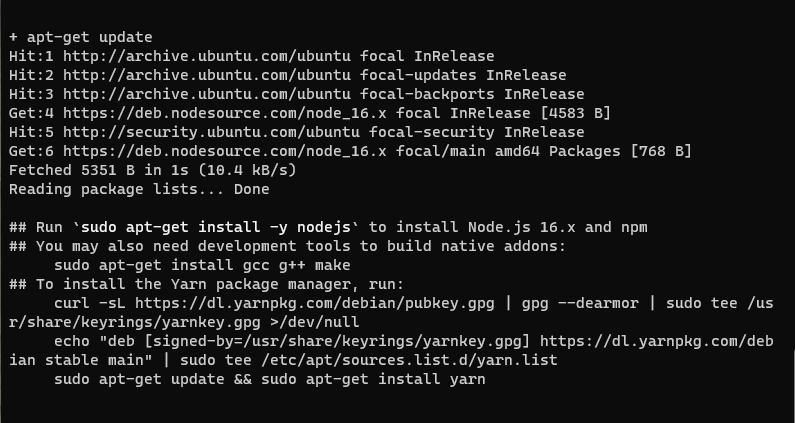
This command will add PPA sources required to be able to install NodeJS 16 on your Ubuntu 20.04 installation:curl -s https://deb.nodesource.com/setup_16.x | sudo bashWhen complete, you will see a confirmation that looks like this:
Step 2 - Install NodeJS 16
Now that the PPA source has been added, we can install NodeJS 16 on our Ubuntu 20.04 installation. Run the following command:sudo apt install nodejs -y
Tip: The -y flag means we're not prompted to confirm our choices
Once the installation is complete, we're ready to confirm the version installed.Step 3 - Confirm the installed version of NodeJS
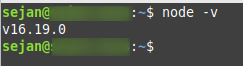
Finally, let's confirm the installed version. Run the following command:node -vYou should get an output similar to the one show below. If you do, you've successfully installed NodeJS 16.X.X on Ubuntu.
 N.B: Most of my posts are for Ubuntu based distros because I mostly work on Ubuntu/Linux Mint
Any feedbacks are appreciated
N.B: Most of my posts are for Ubuntu based distros because I mostly work on Ubuntu/Linux Mint
Any feedbacks are appreciated


