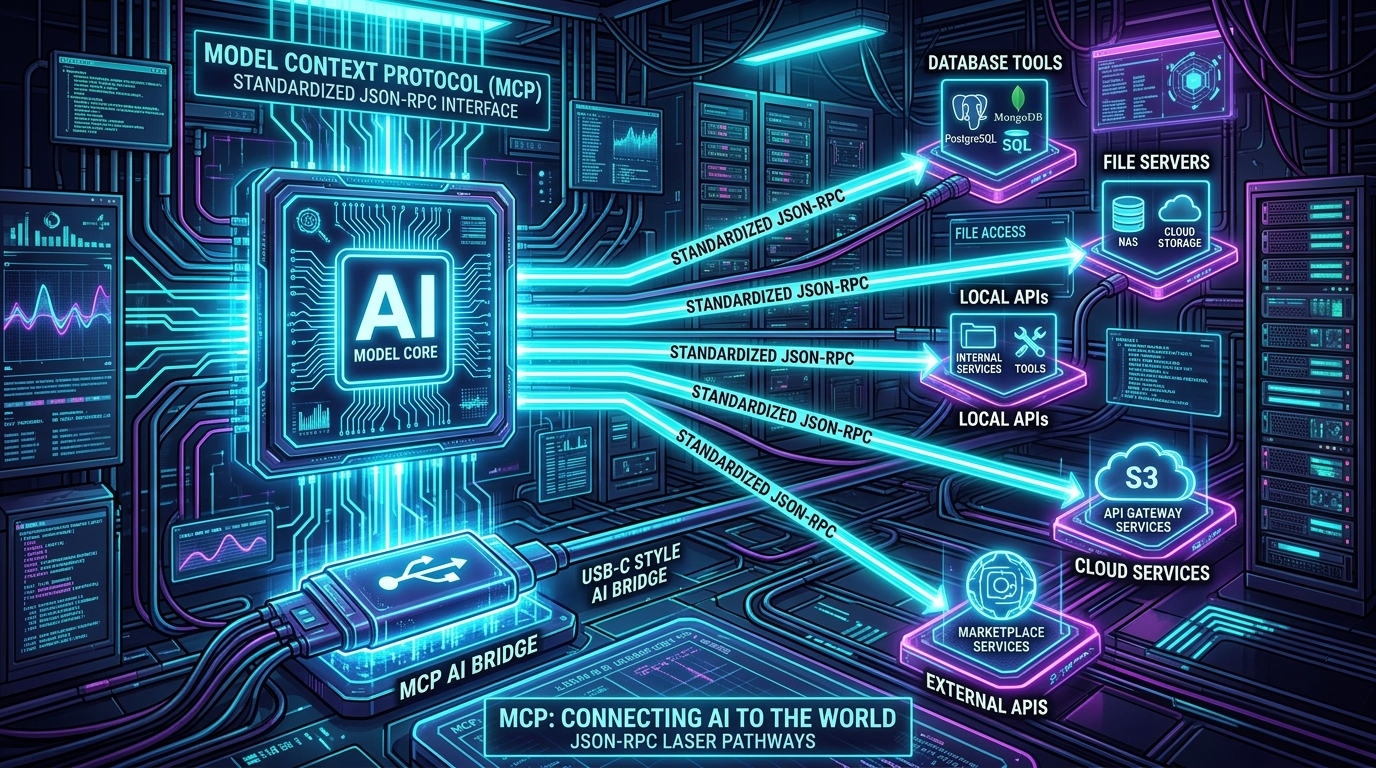
As artificial intelligence transitions from conversational text generators into autonomous agents capable of executing complex workflows, software teams face a massive architectural challenge: how to connect Large Language Models (LLMs) to disparate enterprise tools, private databases, and APIs without writing brittle, custom integration code for every client.
Historically, connecting $M$ different AI clients (Claude Desktop, IDE coding agents, CLI tools, custom web apps) to $N$ different enterprise services (PostgreSQL, GitHub, Jira, AWS, internal microservices) required building $M \times N$ bespoke integration wrappers.
The Model Context Protocol (MCP) solves this integration nightmare. Acting as an open, standardized "USB-C for AI", MCP is a lightweight JSON-RPC 2.0 protocol that decouples AI models from underlying tools. By building an MCP server once, any compatible AI client can dynamically discover, inspect, and invoke your tools and data sources.
In this guide, we break down the core architecture of MCP, dissect its primary primitives (Tools, Resources, Prompts), compare transport layers (stdio vs. SSE), and walk through building a production-ready TypeScript MCP Tool Server and Enterprise Gateway.
The $M \times N$ Problem: Why We Need an Open Standard
| Dimension | Legacy Bespoke Function Calling | Model Context Protocol (MCP) |
|---|---|---|
| Integration Complexity | $M \times N$ bespoke SDK wrappers | $M + N$ universal client-server interoperability |
| Tool Discovery | Hardcoded schemas embedded in client prompts | Dynamic runtime capability negotiation via JSON-RPC |
| Context Ingestion | Manual string interpolation into chat history | Native URI-based Resources (postgres://db/schema) |
| Security Boundaries | Client controls all credentials directly | Server-side execution isolation and token scoping |
The 3 Core Primitives of MCP
The MCP specification defines three distinct capabilities that a server can expose to an AI client:
+-------------------------------------------------------------------------+
|                       MCP SERVER PRIMITIVES                             |
|                                                                         |
|  1. TOOLS (Action Execution)                                            |
|     - Functions the model can invoke to perform side effects.           |
|     - e.g., execute_sql_query(query: string), deploy_service(env: prod) |
|                                                                         |
|  2. RESOURCES (Context Ingestion)                                       |
|     - Read-only data streams exposed via URI templates.                 |
|     - e.g., postgres://production/schema, file:///var/log/audit.log     |
|                                                                         |
|  3. PROMPTS (User Conversational Templates)                             |
|     - Pre-packaged prompt workflows exposed to human users in the UI.   |
|     - e.g., "analyze-database-indexes", "review-pull-request"           |
+-------------------------------------------------------------------------+
Transport Layers: stdio vs. SSE (Server-Sent Events)
MCP supports two official transport mechanisms depending on the deployment topology:
1. Standard Input/Output (stdio)
Used when the AI client and MCP server run on the same physical machine (e.g., Claude Desktop or VS Code spawning a local Node.js or Python CLI process). Communication occurs directly over standard process pipes (stdin/stdout). It is blazing fast and requires zero network configuration or open ports.
2. Server-Sent Events (SSE over HTTP)
Required when the MCP server runs as a remote cloud microservice (e.g., in a Kubernetes cluster or AWS Lambda behind an API Gateway). The client opens an ongoing unidirectional HTTP GET stream (/sse) to receive server events, and sends client commands via standard HTTP POST requests (/message).
Hands-On: Building a Production TypeScript MCP Tool Server
Let's build a production-grade MCP server in TypeScript using the official @modelcontextprotocol/sdk that exposes safe database inspection tools:
// server.ts
import { Server } from "@modelcontextprotocol/sdk/server/index.js";
import { StdioServerTransport } from "@modelcontextprotocol/sdk/server/stdio.js";
import {
  CallToolRequestSchema,
  ListToolsRequestSchema,
} from "@modelcontextprotocol/sdk/types.js";
import { z } from "zod";

// 1. Initialize MCP Server Instance
const server = new Server(
  {
    name: "production-postgres-mcp",
    version: "1.0.0",
  },
  {
    capabilities: {
      tools: {},
      resources: {},
    },
  }
);

// 2. Define Tool Schema
const QueryToolSchema = z.object({
  query: z.string().describe("Read-only SQL query to execute against database."),
});

// 3. Register Tool Discovery Handler
server.setRequestHandler(ListToolsRequestSchema, async () => {
  return {
    tools: [
      {
        name: "execute_readonly_query",
        description: "Executes a read-only SELECT query against the production database.",
        inputSchema: {
          type: "object",
          properties: {
            query: {
              type: "string",
              description: "The SQL SELECT statement.",
            },
          },
          required: ["query"],
        },
      },
    ],
  };
});

// 4. Register Tool Execution Handler with Safety Guards
server.setRequestHandler(CallToolRequestSchema, async (request) => {
  if (request.params.name === "execute_readonly_query") {
    const { query } = QueryToolSchema.parse(request.params.arguments);

    // Hard security guardrail: Block destructive SQL
    if (/^\s*(DROP|DELETE|UPDATE|ALTER|INSERT|TRUNCATE)/i.test(query)) {
      return {
        isError: true,
        content: [
          {
            type: "text",
            text: "Access Denied: Only read-only SELECT queries are permitted.",
          },
        ],
      };
    }

    // Execute query against database pool
    const sampleResults = [
      { table_name: "users", total_rows: 142050, disk_size_mb: 42.1 },
      { table_name: "posts", total_rows: 95120, disk_size_mb: 88.4 },
    ];

    return {
      content: [
        {
          type: "text",
          text: JSON.stringify(sampleResults, null, 2),
        },
      ],
    };
  }

  throw new Error(`Tool not found: ${request.params.name}`);
});

// 5. Connect Stdio Transport
async function run() {
  const transport = new StdioServerTransport();
  await server.connect(transport);
  console.error("🚀 Production PostgreSQL MCP Server running on stdio");
}

run().catch(console.error);
Enterprise Architecture: Building Secure Remote MCP Gateways
When deploying MCP across an enterprise organization, exposing raw database servers directly to AI clients is a major security risk. Production architectures implement an Enterprise MCP Gateway:
+-------------------------------------------------------------------------+
|                       ENTERPRISE MCP GATEWAY                            |
|                                                                         |
|  +--------------------+      +---------------------------------------+  |
|  |   AI Client App    | ---> |         ENTERPRISE MCP GATEWAY        |  |
|  | (Agent / Desktop)  | <--- |   (OAuth 2.0 Auth, RBAC, Rate Limiting)|  |
|  +--------------------+      +---------------------------------------+  |
|                                                 |                       |
|                   +-----------------------------+-----------------------+
|                   |                             |                       |
|                   v (Internal SSE)              v (Internal SSE)        |
|  +---------------------------------+  +------------------------------+  |
|  |      Database MCP Server        |  |       DevOps MCP Server      |  |
|  | (Postgres Read-Only Replica)    |  |  (Kubernetes & Git Provider) |  |
|  +---------------------------------+  +------------------------------+  |
+-------------------------------------------------------------------------+
Core Responsibilities of the MCP Gateway:
- Dynamic Tool Filtering (RBAC): The gateway inspects the caller's JWT role. Junior engineers are only presented read-only tools, while DevOps leads receive deployment tools.
- Human-in-the-Loop Confirmation: Destructive tool calls trigger an approval webhook sent to Slack or an internal approval portal before executing.
- Complete Audit Transcripts: Every input argument, execution duration, and tool output is recorded in structured JSONL logs for compliance.
Summary
The Model Context Protocol represents the missing architectural standard for the AI era. By standardizing tool execution, context streaming, and prompt workflows under clean JSON-RPC contracts, MCP allows engineering teams to build modular, secure, and future-proof tool ecosystems ready for any agentic AI platform.